Label and document design and print API

Design labels and documents once. Print them live, from any system.

Your templates live in Qpro+ and resolve at the moment of print — with the lot, quantity, and customer data as it exists right now. Your team changes the design. Your code never changes. Nobody opens a ticket.

Template / FG-PALLET-4x6 template
FINISHED GOODS
4.00 × 6.00 in · 203 dpi
GS1-128 · DataMatrix
Lot number
{{lot_number}}
Pallet ID
{{pallet_id}}
Piece qty
{{piece_qty}}
Customer code
{{customer_code}}
{{sscc}}
Resolved at
4M+ labels a year from one manufacturer 25M projected across the platform in 2027 ZPL · PDF · PNG · SVG · EPS · JSON No print server to install

Why print time

Print Labels and Documents on Demand!

Many teams either decide to puchase rolls of preprinted labels, or someone prints a stack at 6 a.m. and guesses the count, eitherway you throw the overage away or stop labeling when you run short. Or the layout is baked into application code, and a new customer format turns into a sprint ticket.

Printed before the facts are in

A stack printed this morning is a forecast. Run long and the extras go in the bin. Even worse its placed on the wrong product. Run short and finished goods sits until a new order is made and inventory is unlabeled, unaccounted for, and unshippable.

Locked inside the code

When the layout lives in your application, a new retailer format, an added DataMatrix, or a logo refresh all arrive as engineering work. Scoped, queued, tested, released.

Qpro+ is always ready. The template is stored in your library and when the data arrives, the requested label is rendered. The pallet that just came off the line gets a label with realtime data thirty seconds after it existed.

Sunrise 2027

Every one of your labels is about to need a second barcode.

GS1 Sunrise 2027 asks retail point-of-sale systems to scan 2D codes by the end of 2027. It is a retailer commitment rather than a regulation, but through the transition a product carries the UPC and the 2D code side by side.

200 variants, 200 layout changes

Each one needs a DataMatrix or a Digital Link QR added, placed, and print-tested. Where those layouts live decides how big that job is. In application code it is a roadmap item. In Qpro+ it is an afternoon in the canvas, and not one line of the code calling the API changes.

FSMA 204 works the same way

Enforcement does not begin until 20 July 2028, so there is no fire drill. But the lot code still has to be on the label and in the record at the moment the event happens, and that moment is exactly when Qpro+ renders it.

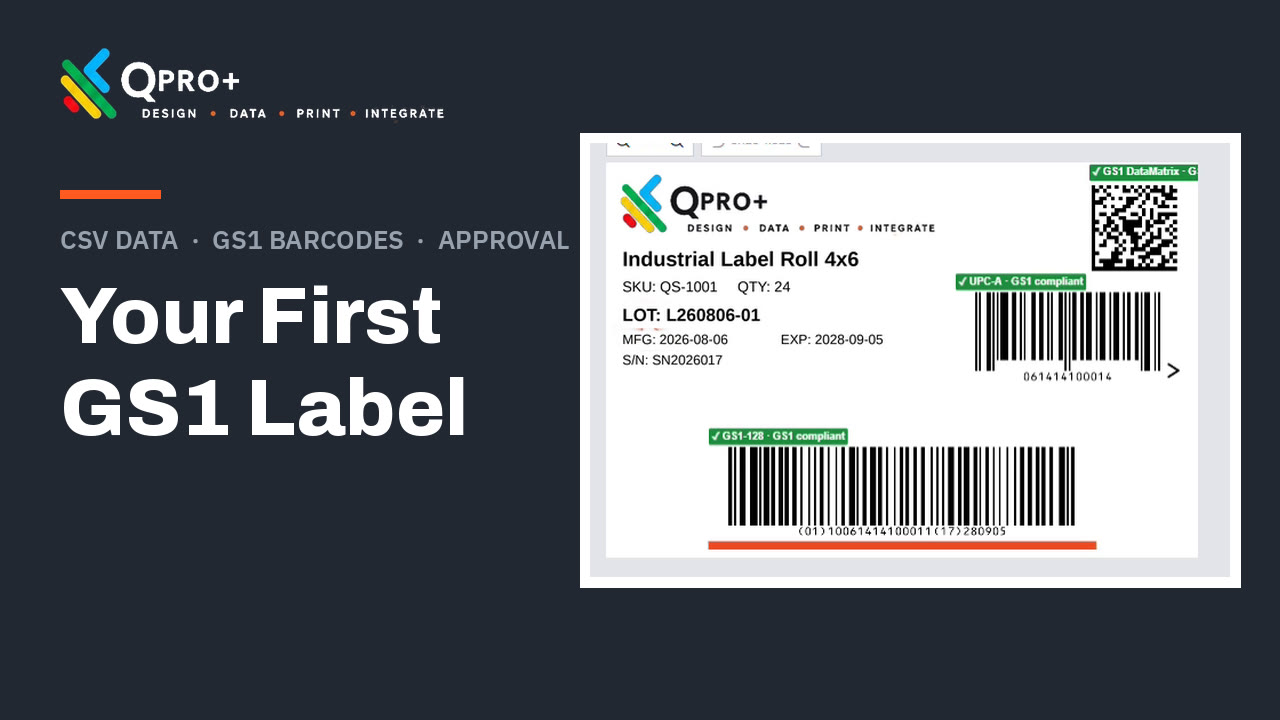
The symbology is already in the canvas. GS1 DataMatrix, GS1-128, and QR are supported today, so adding a second symbol to a template is a design change you make once and every calling system picks up on its next request.

How it works

Design it, Map field names, call it. That's the whole thing.

STEP 01

Design the template

Drag text, images, and any 1D or 2D symbology onto the canvas. Set the size in inches, millimetres, or pixels. Add RFID encoding where the stock supports it. Snap, align, and layer with real guides, the way a design tool should work.

STEP 02

Name the fields

Tell Qpro+ what your system will send: lot_number, pallet_id, whatever you already call them. Qpro+ writes the request snippet for you, ready to paste. Mark a field pass-through and it renders without ever being stored.

STEP 03

Call it at print time

One authenticated request comes back as ZPL, PDF, PNG, SVG, or EPS. Stream it to the printer, drop it into a document, or hand it to PrintNode.

Change the design on Tuesday. Ship nothing.

Because the template resolves when the request arrives, an edit in Qpro+ shows up on the very next label. No redeploy, no firmware push, no calendar invite with the team that owns the calling system.

POST /v1/rendercurl
# one call, at the moment the label is needed
curl https://api.qproplus.com/v1/render \
  -H "Authorization: Bearer $QPRO_TOKEN" \
  -H "Content-Type: application/json" \
  -d '{
    "template": "FG-PALLET-4x6",
    "format":   "zpl",
    "data": {
      "lot_number":    "L25-8814",
      "pallet_id":     "PLT-4471",
      "piece_qty":     "48 CS",
      "customer_code": "NORTHFIELD"
    }
  }'

Who it's for

Someone clicks a button, or a system makes a call. Same templates either way.

A team that starts by printing from a browser can wire up the API later without rebuilding anything. Same canvas, same library, same approvals.

Manufacturing

200 variants, 40 routing guides, one library

You run a lot of label variants and every retailer wants theirs a little different. One wants the pallet placard rotated, another wants the SSCC in a different corner, and your co-packer runs the same SKU on a different printer entirely. In Qpro+ they all sit in one library, each with an owner and an approval chain, so a routing guide change is an edit instead of a project.

A leading plastics manufacturer serving some of the largest brands in the US and Mexico runs more than four million labels a year this way, straight from their own MRP into the Qpro+ API.

For manufacturing →

Platform & OEM

Put labeling in your product without building it

Your customers keep asking your product to print something, and building a label designer is six months you'd rather spend on your actual roadmap. Embed Qpro+ instead. You call the API, we render, and your customers never see us or contract with us. Because you're billed on renders, a customer with 40 printers costs you the same as a customer with four.

A technology leader in global electronics refurbishment diagnostics, equipment, and services ships Qpro+ inside what they deliver to their own customers.

For platform teams →

Compliance

Render the field, don't keep it

A patient identifier on a specimen label. A date of birth on a shipping document. Mark that field pass-through and Qpro+ uses it to draw the label and then lets it go. Nothing written to our database, nothing to produce in a subject access request.

It reduces what we hold under GDPR, HIPAA, and PII obligations, and your auditor can verify it end to end.

See compliance →

In the canvas

One design surface. A 4×6 thermal label and a packing list come out of the same place.

Same canvas, same guides, same library. What changes is the format you ask for on the way out.

Full symbology set

Every 1D and 2D type you're likely to be asked for, including GS1-128, DataMatrix, QR, UDI, and SSCC serialization.

RFID encoding

Set the encoding right next to the printed design, on RFID-capable stock.

Precision placement

Smart guides, edge and centre snap, equal-spacing hints, arrow-key nudging, and a grid you can switch off when it's in the way.

Any unit, any size

Inches, millimetres, or pixels. Rotate in 45° steps.

Right-to-left text

Arabic and Hebrew layouts render properly, so your Middle East shipments look like every other shipment.

Images and brand assets

Upload once for a single label, or save it to your account library and reuse it across every template.

Type and colour control

Fonts, colour, transparency gradients, alignment, fixed sizing, and layering front to back.

Documents, not just labels

Packing lists, pallet placards, certificates of analysis, and form-fill PDFs come from the same library.

Download anything

Pull a design out as PNG, JPEG, PDF, EPS, ZPL, or SVG any time you need it outside the API.

Change control

Editing a live template is a deploy. Qpro+ treats it like one.

Draft it, review it, promote it, and roll it back if the night shift finds something you didn't.

Optional approval step

Route a change to a reviewer for a green check or a red X before it can reach a printer.

Version history and rollback

Every version is kept. Roll straight back to the last Active one without waiting on the approval queue, because emergencies don't queue.

Clone to branch

A clone starts as a clean Draft. It inherits no approval state and cannot reach a printer until somebody deliberately promotes it.

Shared templates

One design serves every caller, so the label is identical whether it came from the ERP, the WMS, or a handheld out in the yard.

Print history and metrics

Utilization by date, reprint straight from the list, and a record of what was actually produced.

Pricing

A platform fee, credited back against what you render.

Per-printer fees and per-seat licenses fall apart the moment you add a line or resell to your own customers. Renders are the one unit that keeps working in both directions.

Free while you build

No expiry, no print cap, full output quality, no watermark. Five templates and one user.

Metered by render

The rate drops as volume rises. Your platform fee is credited against usage rather than charged on top of it.

One contract

If you're distributing to your own customers, they contract with you. We stay out of it.

Print a real label in about five minutes.

The free account doesn't expire and doesn't cap your prints. Wire up a real integration, run it on real hardware, and go show somebody.

Qpro+ is a Quando Solutions product. Supply chain and manufacturing IT.